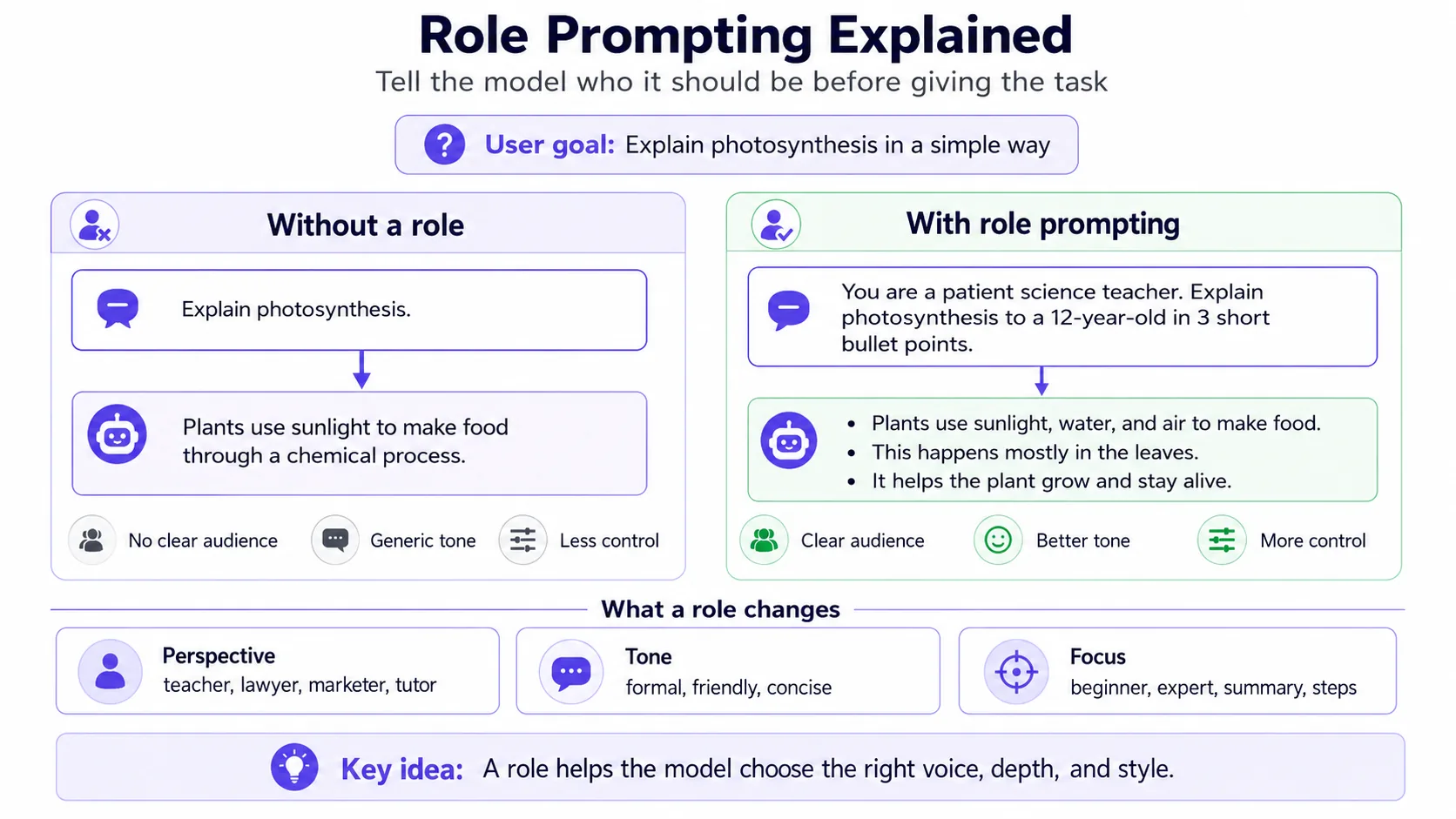
Role Prompting explained
Role prompting asks the model to answer from a specific professional perspective. The role should be relevant to the task, not theatrical. “Act as a senior support operations manager” is useful for ticket workflows; “act as a genius” usually adds little.
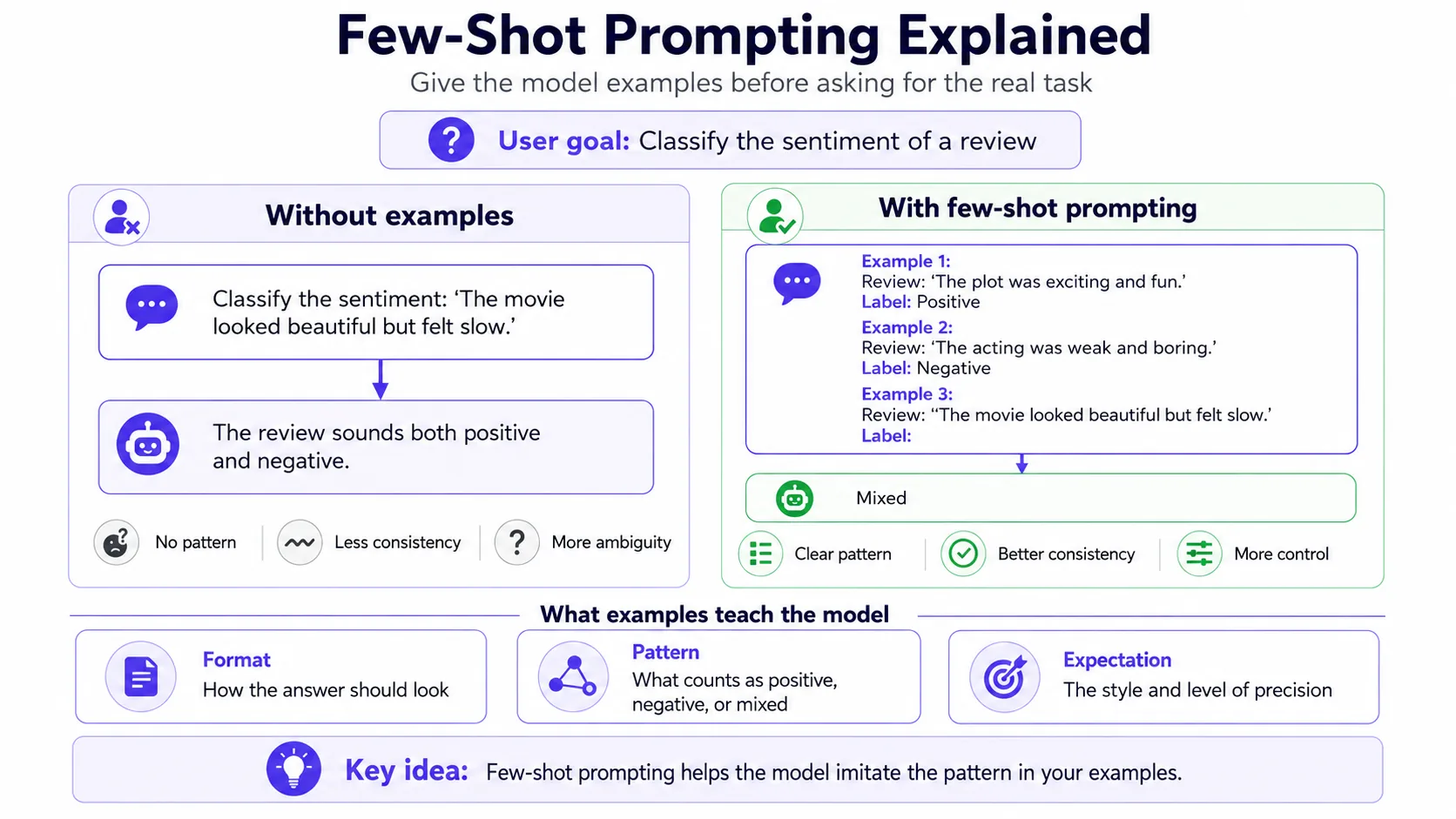
Few-Shot Prompting explained
Few-shot prompting means you provide a few examples of the input and the desired output. It is especially useful when format, tone or classification boundaries are hard to describe. Two to five sharp examples are often better than a long abstract explanation.
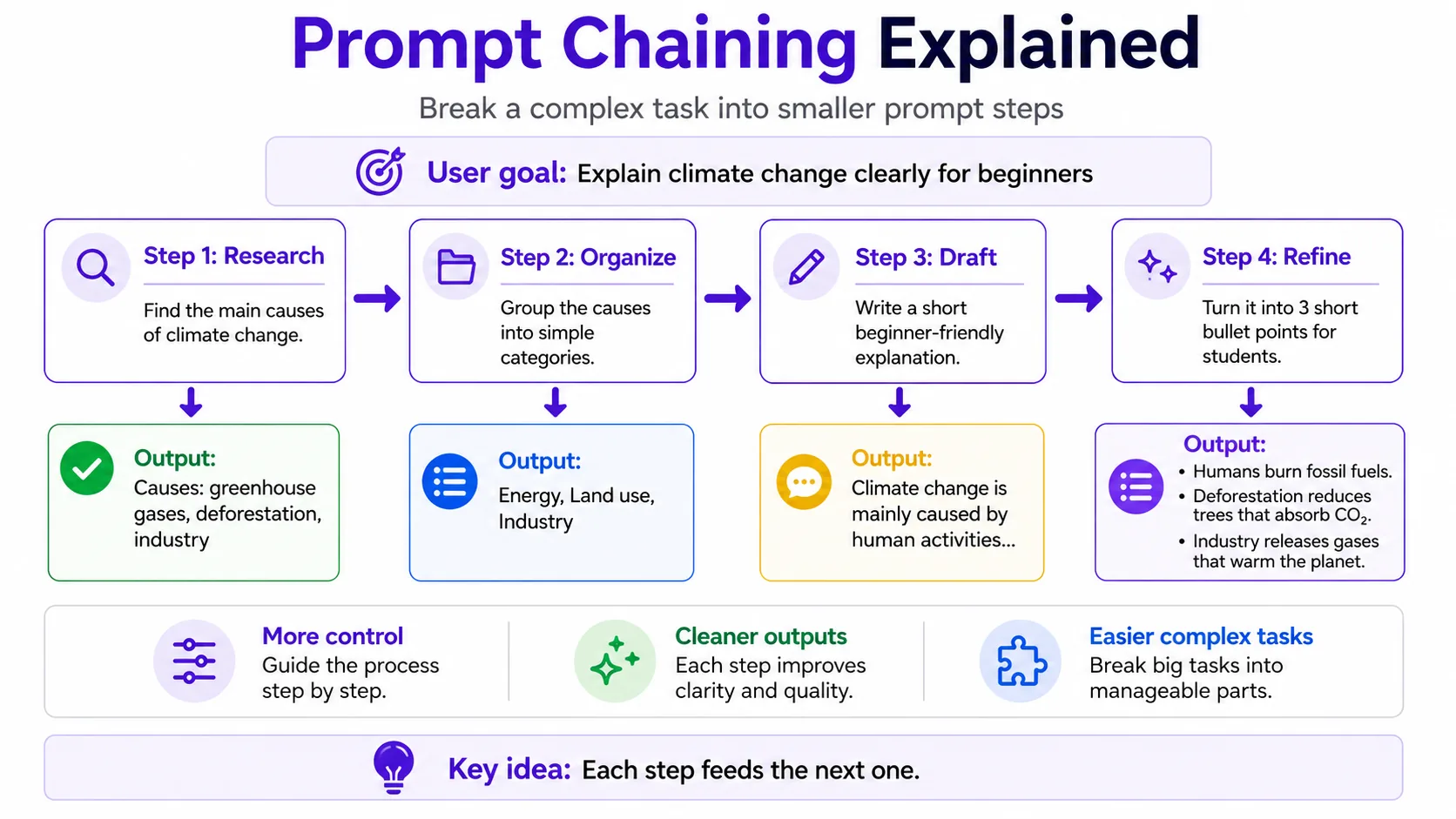
Prompt Chaining explained
Prompt chaining splits a complex task into smaller steps. Instead of asking for research, outline, draft, critique and final version at once, you run a sequence: extract facts, create structure, write draft, evaluate, revise. This improves control and makes errors easier to catch.
Combine prompting techniques into systems you can test, refine, retrieve from, and reuse.
A stronger idea: design a prompt operating system
For recurring work, the best prompt is rarely a single clever sentence. Treat it like a small operating system: role, inputs, source rules, quality bar, output format and review step. This makes the workflow teachable and easier to debug.
“Write our onboarding email.” The model guesses audience, tone, product details and success criteria.
“Use the customer segment, product promise, tone guide, banned claims, example emails and checklist below. Draft, self-review, then output the final email.”
Context Engineering explained
Context engineering is the discipline of deciding what information enters the model at the right time. It includes source selection, instruction hierarchy, memory, retrieval, examples, tools and output schemas. The goal is not “maximum context”; the goal is the smallest reliable context.
How to test prompts
Prompt testing means running the same task across representative examples and scoring the outputs. Use a rubric: accuracy, completeness, format adherence, tone, safety and edit time. Keep a small regression set so you notice when a prompt change improves one case but breaks another.
How to get better AI answers
Better answers usually come from clearer goals, better context, explicit constraints, examples and a review step. Ask the model to state assumptions, use a specified format and flag uncertainty. For important facts, provide sources or require citations from retrieved material.
RAG explained simply
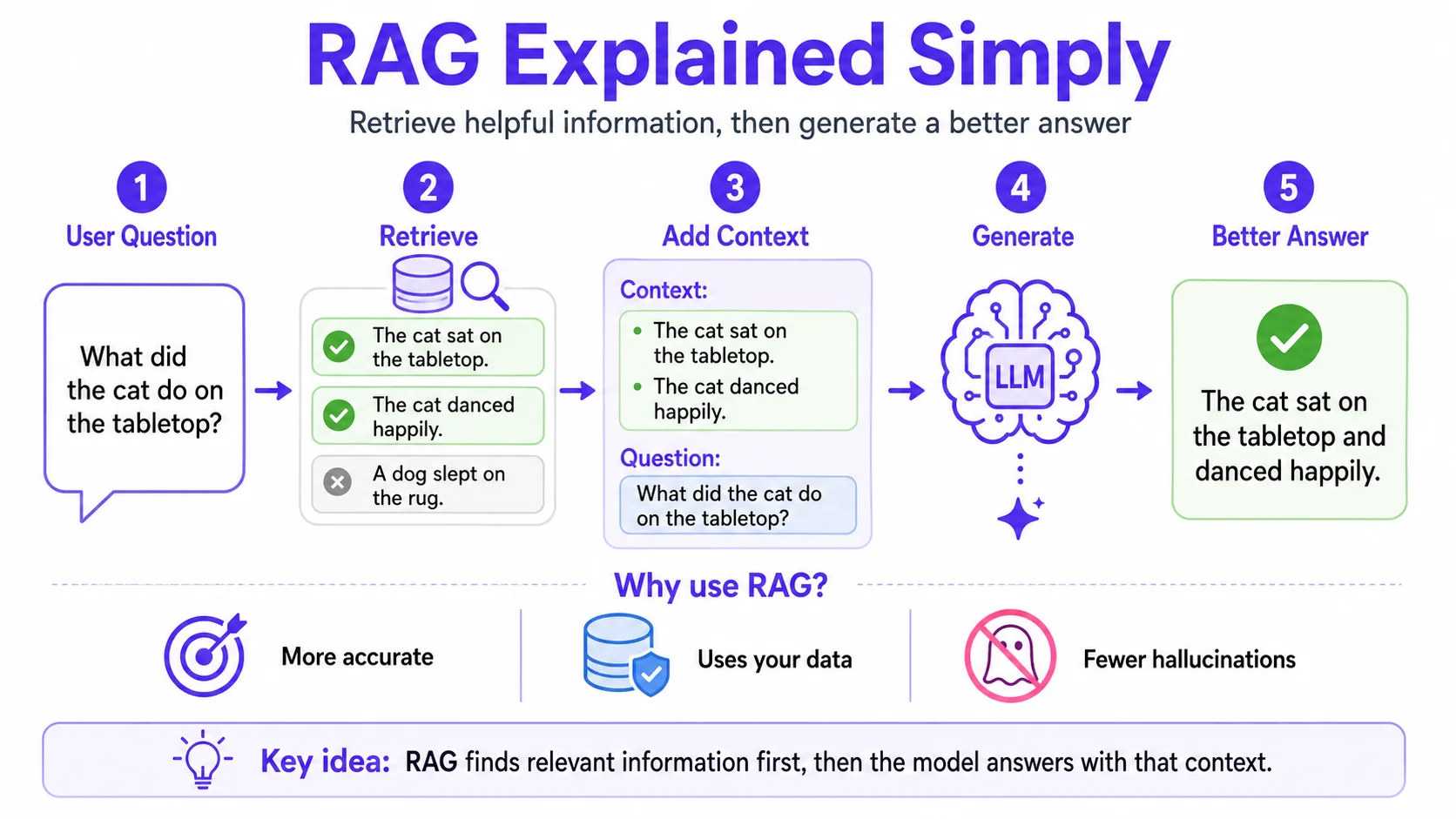
RAG means retrieval-augmented generation. The system first searches a knowledge base, then gives relevant passages to the model, then the model writes an answer grounded in those passages. RAG is useful when answers depend on private, changing or large documents. It is unnecessary for simple writing tasks.
What are AI agents?
So far you have written prompts that get one answer back. An AI agent goes a step further: it can plan several steps, use tools (like search or a calculator), look at the result, and decide what to do next — repeating until the task is done. Think of it as the difference between asking for directions and handing someone the keys to run the errand for you.
Agents are useful for multi-step jobs that would otherwise need many separate prompts: research across several pages, then summarize; or look something up, then draft a reply based on it. The trade-off is control — because an agent acts on its own, you give clearer boundaries and often a review step before anything important happens. If you want the technical details of how agents, tools and Large Action Models work, the Advanced guide covers them in depth.
Temperature explained simply
Temperature controls how much randomness the model uses when choosing tokens. Lower temperature tends to be more predictable and consistent. Higher temperature can be more varied and creative but may increase drift from instructions. It is not a quality knob; it is a variation knob.
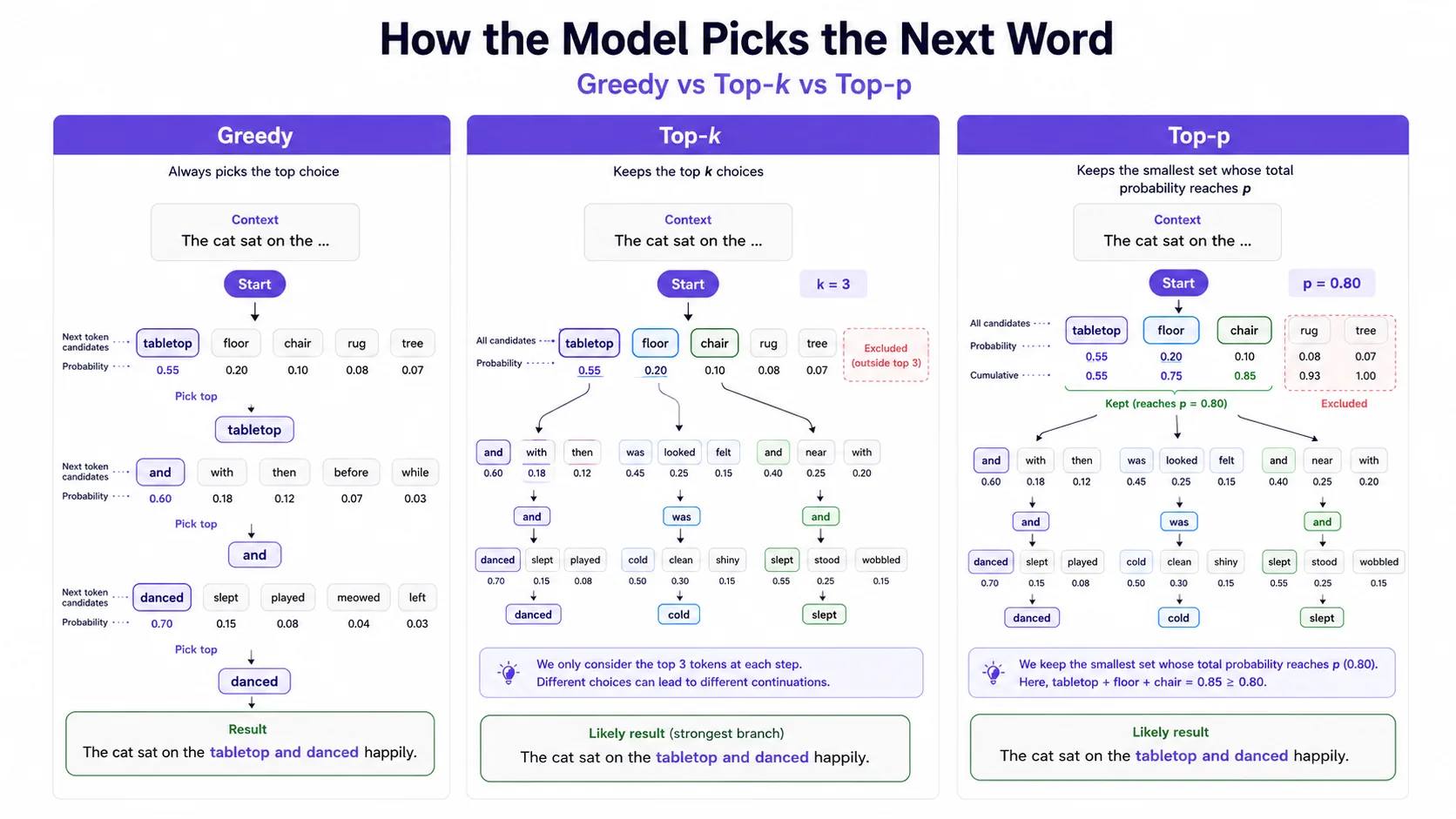
How the model picks each word: greedy, top-k and top-p
Temperature is one knob in a larger step called decoding (or sampling). At every position the model assigns a probability to every possible next token, and the decoding method decides which candidate is actually chosen. These settings explain why the same prompt can feel rigid, slightly repetitive or wildly creative depending on how the API is configured.
The common methods, from strict to flexible:
Select the highest-probability token at each step. This removes sampling randomness for that decoder, but identical output is not guaranteed across model versions, numerical implementations, backend changes, or nondeterministic infrastructure.
Keep only the k most likely tokens, for example 40, then choose among them. A fixed-size shortlist no matter how sure the model is.
Keep the smallest set of tokens whose probabilities add up to p, such as 0.9. The shortlist shrinks when the model is confident and grows when it is unsure.
A newer option: keep tokens that reach at least a fraction of the top token’s probability. It tends to stay more stable than top-p when temperature is high.
These settings interact, but the exact order and available controls are implementation-dependent. In a common pipeline, temperature rescales logits before a top-k or top-p filter; other runtimes may combine or order processors differently. Some providers recommend changing temperature or top-p rather than both, but follow the documentation for the specific model and API.