Free AI Prompt Generator

Use AI with better prompts — just click.

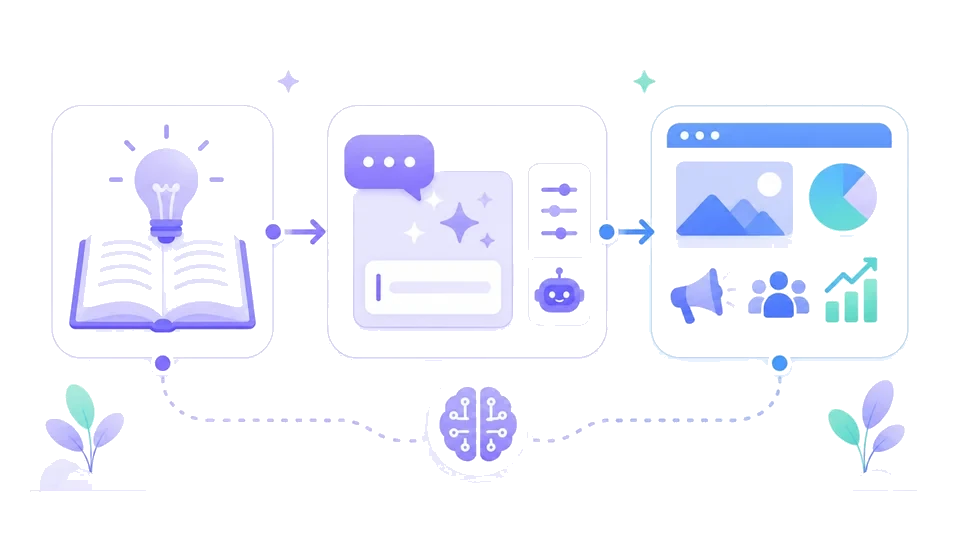
Create better prompts for ChatGPT, Claude, Perplexity and Grok in a few clicks. PromptingEasy was built for people who want better AI results without needing to learn complicated prompt engineering first.

How it works:

  1. Pick the prompt you need
  2. Modify your prompt
  3. Paste your text
  4. Send to ChatGPT & more in one click
Share this free prompt generator

Choose your prompt generator model:

What do you want to do?

+ + +
+ + +
+ + +
Select one or more actions above…

Modify your prompt

Complete Step 1 first…

Paste your text

Choose your AI & send

The best all-round choice. Great for writing, emails, brainstorming, explanations, and everyday productivity.

Preview — what gets sent

Why prompt quality matters

AI tools are only as good as the instructions you give them.
A well-structured prompt consistently outperforms a vague one — regardless of which AI you use.

Faster, better results. A precise prompt gets you a usable answer on the first try — no back-and-forth, no guessing what the AI misunderstood.
🎯
Context is everything. Specifying tone, format, and audience gives the AI enough to match your actual needs instead of producing something generic.
🔄
Works across all tools. The same prompt principles apply whether you use ChatGPT, Claude, Grok, or Perplexity — the skill transfers.

How PromptingEasy works

Instead of starting from a blank page, you simply select what you want to do, choose a few options, and PromptingEasy builds a clearer, more structured prompt for you automatically. The goal is to make AI easier, faster, and more useful — even if you are completely new to prompting.
At the same time, we believe understanding how prompting works is becoming an important digital skill. That is why we also created a large free AI Prompting Tutorial section. It explains prompting in a simple and practical way, so beginners can gradually improve and learn why certain prompts work better than others.
Here are some of the most useful tutorial sections:
The idea behind PromptingEasy is simple: help beginners get better AI answers immediately, while also giving them a place to slowly learn and improve their prompting skills over time.

FAQ

What does PromptingEasy do?
PromptingEasy helps you write better AI prompts without starting from a blank page. You pick what you want to do, adjust tone and style, paste your text, and send the finished prompt directly to ChatGPT, Claude, or another tool — all in a few clicks. No prompt-writing experience needed.
Can I combine multiple actions in Step 1?
Yes — and for many tasks it works better that way. In the Ideas row for example, combining a topic, duration, city and country builds one cohesive prompt rather than four separate ones. Try "Write me a 3-day travel plan for Lisbon" by selecting the matching chips in sequence.
What is the difference between Basic and Advanced mode?
Basic mode shows the most common use cases in a single view — ideal when you know roughly what you want. Advanced mode unlocks the full prompt library organised by category, so you can fine-tune tone, format, audience, and more. If you are just getting started, the beginner guide walks you through the basics.
Do I need an account?
No account is needed for PromptingEasy itself — open the page and start building. Some external AI tools such as ChatGPT or Claude require their own free or paid account to receive and process your prompt.
Can I edit the generated prompt?
Yes. Step 2 shows you the full prompt before it goes anywhere. You can read it, tweak any word, or rewrite parts entirely. The AI only sees what you approve — which is why reviewing the prompt before sending is always worth the extra second.
Can I use AI-generated text commercially?

In many everyday cases, AI-generated text can be used commercially, but you should check three things first: the AI tool’s terms, the amount of human editing you added, and whether the text includes protected third-party material. Text is usually less affected by likeness, logo, and visual-style issues than images, but copyright, attribution, accuracy, confidentiality, and disclosure can still matter.

  • United States: U.S. copyright guidance focuses on human authorship. Pure machine output may have limited copyright protection, while human selection, editing, rewriting, structure, and original expression can matter. See the U.S. Copyright Office AI resources and its registration guidance for AI-generated material.
  • European Union: The EU AI Act is mainly about AI regulation, transparency, and risk obligations, not a simple ownership rule for every AI-written paragraph. For commercial publishing, also consider copyright originality, consumer protection, data protection, and whether AI involvement should be disclosed in your specific context.
  • Tool terms: Always check the provider’s license. For example, the OpenAI Terms explain ownership of input and output for OpenAI services, subject to applicable law and the terms themselves.
  • Sources and licenses: If the text uses quotes, summaries, datasets, copied examples, or external research, the source license still matters. Creative Commons licenses may allow reuse, but some require attribution, restrict commercial use, or require adaptations to use the same license.
  • Practical rule: For public commercial use, review the text yourself, fact-check claims, remove copied passages, avoid confidential information, and add meaningful human editing. For contracts, medical, legal, financial, or regulated content, get qualified professional review.

This is general information, not legal advice.

Does PromptingEasy store my text?
No. Everything stays in your browser. Your text is assembled into a prompt locally and sent directly to the AI tool you choose. PromptingEasy has no server that receives, stores, or logs your input.
Can I use PromptingEasy on mobile?
Yes. The interface adapts to any screen size. On mobile you can build a prompt, tap Send, and continue the conversation in your preferred AI app — useful when you need a quick rewrite or summary on the go.
Which AI tools can I use with it?
ChatGPT, Claude, Grok, and Perplexity are supported via direct send buttons. You can also copy the prompt and paste it into any other tool. Not sure which AI fits your task? The Advanced Prompting guide covers when to use which tool.
Why do my prompts sometimes give poor results?
Usually it comes down to vagueness or missing context. "Write an email" gives the AI almost nothing to work with. "Write a short, friendly follow-up email to a client who hasn't responded in a week" gives it everything it needs. The most common mistakes — and how to avoid them — are covered in the Prompting Mistakes guide.